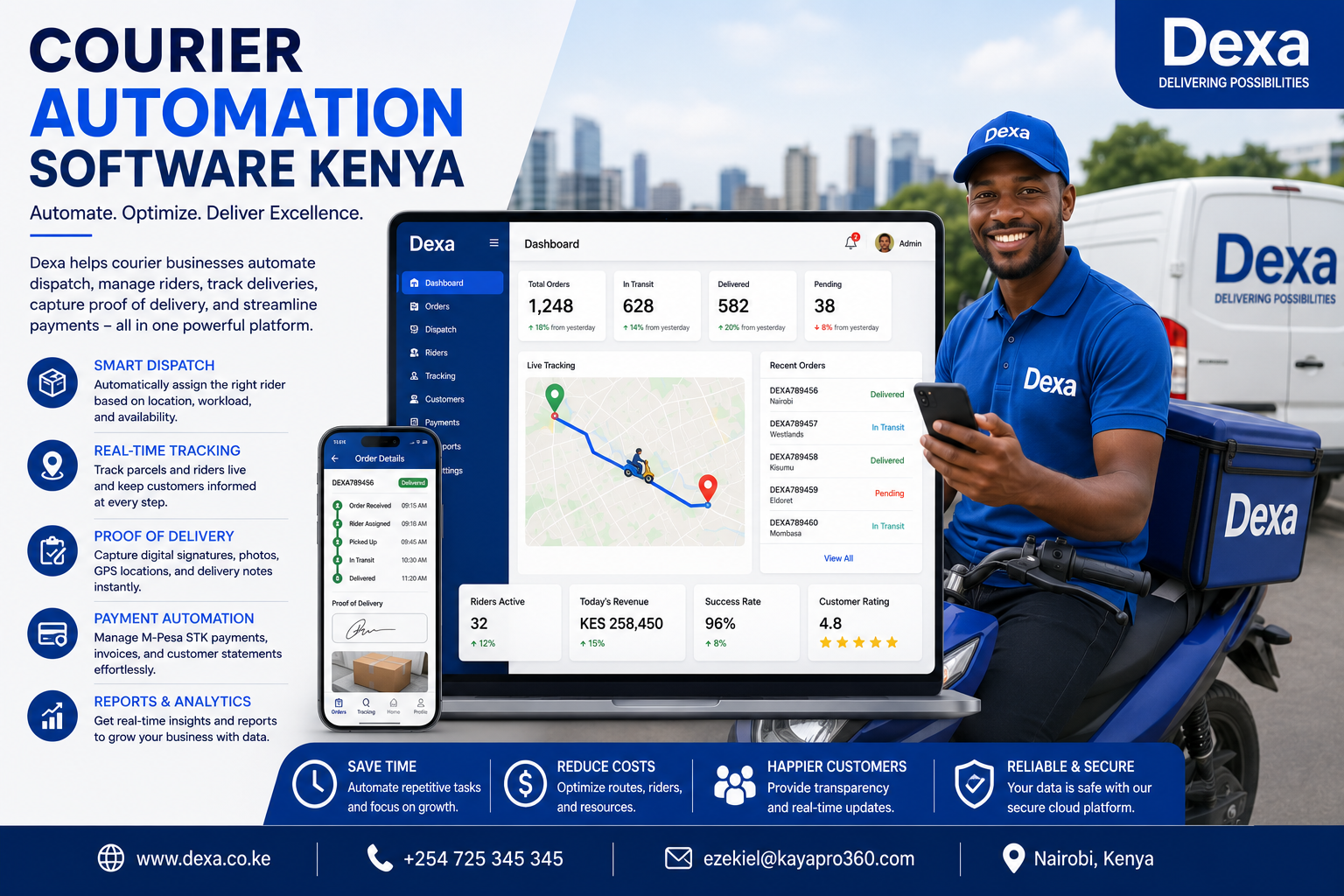
Courier Automation Software Kenya: The Smart Way to Run Modern Delivery Operations
Courier businesses across Kenya are handling more deliveries than ever before. The growth of e-commerce, online shopping, digital payments, retail delivery services, and business-to-business logistics has increased the demand for fast and reliable courier services.
However, handling a growing number of deliveries can become difficult when businesses depend on manual processes.
Many courier companies still use:
- Phone calls to assign riders
- WhatsApp messages to share delivery details
- Spreadsheets to record orders
- Paper documents for proof of delivery
- Separate systems for payments and billing
These methods may work when a business handles only a few deliveries each day. As delivery volumes increase, they can create delays, communication gaps, duplicate records, and operational confusion.
This is why many businesses are adopting Courier Automation Software Kenya.
Courier automation software helps businesses organize and automate important delivery activities, including order creation, rider assignment, status updates, customer communication, payment tracking, and reporting.
Dexa provides a structured cloud-based courier platform that connects dispatch teams, riders, clients, customers, and finance teams in one system. It helps businesses reduce manual work while improving delivery visibility and customer service.
What Is Courier Automation Software?
Courier automation software is a digital platform that uses connected workflows to reduce manual work in courier and delivery operations.
Instead of managing every activity through phone calls and separate applications, businesses can use one platform to coordinate delivery processes.
Courier automation software may support:
- Digital delivery order creation
- Automated dispatch workflows
- Rider assignment
- Delivery status updates
- Customer notifications
- Public parcel tracking
- Proof of delivery
- Payment recording
- Invoice generation
- Operational reporting
The goal is not to remove people from courier operations. The goal is to give teams better tools so they can work faster, make fewer mistakes, and provide more reliable service.
Why Courier Automation Is Important in Kenya
Customer expectations are changing.
Customers want:
- Faster delivery services
- Accurate delivery information
- Easy parcel tracking
- Clear communication
- Reliable proof of delivery
- Professional customer support
Courier companies must also control costs while managing more orders.
Manual processes make this difficult because staff may spend too much time:
- Calling riders for updates
- Copying information between systems
- Searching for delivery records
- Responding to repeated tracking questions
- Preparing reports manually
- Reconciling payments
Courier automation reduces repetitive work and creates a more organized operating environment.
Common Problems Caused by Manual Courier Operations
Slow Rider Assignment
A dispatcher may need to contact several riders before finding someone available.
This delays delivery processing and increases the amount of administrative work.
A structured dispatch workflow helps managers see available riders and active workloads before assigning an order.
Communication Gaps
Important delivery information may be shared through multiple WhatsApp groups, phone calls, and emails.
This can lead to:
- Missing instructions
- Incorrect delivery addresses
- Delayed status updates
- Conflicting information
A centralized system keeps important delivery information connected to the correct order.
Limited Delivery Visibility
Without a digital dashboard, managers may not know:
- Which orders are awaiting assignment
- Which riders are currently active
- Which deliveries are delayed
- Which orders are ready for billing
Courier automation provides a clearer view of daily operations.
Repeated Customer Follow-Ups
Customers may call repeatedly to ask:
- Where is my parcel?
- Has a rider been assigned?
- Is the order on the way?
- Has the delivery been completed?
Public tracking and automated notifications reduce repetitive support requests.
Difficult Reporting
When delivery information is stored across spreadsheets and messaging applications, preparing reports becomes time-consuming.
Automation helps businesses collect operational information as work happens.
How Courier Automation Software Works
Courier automation software supports the delivery journey from order creation to final confirmation.
Step 1: Create a Digital Delivery Order
An administrator, staff member, or authorized client creates an order.
The order may include:
- Sender details
- Recipient details
- Pickup location
- Delivery address
- Parcel description
- Delivery instructions
- Service priority
- Payment information
The platform stores the information in a central delivery record.
Step 2: Review the Delivery Queue
The dispatch team views new orders through a structured workflow.
Orders can be grouped by stages such as:
- Awaiting assignment
- Assigned to a rider
- On rider route
- Delivered
- Ready for billing
This helps teams understand which work requires attention.
Step 3: Assign the Right Rider
The dispatcher can assign an order based on:
- Rider availability
- Current workload
- Delivery area
- Active delivery limits
- Order priority
Balanced assignments help prevent overload and improve delivery performance.
Step 4: Update Delivery Progress
As the rider completes different activities, the delivery status is updated.
The order history may show:
- When the order was created
- When the rider was assigned
- When the parcel was collected
- When the rider started the delivery
- When the parcel was delivered
This creates a clear operational record.
Step 5: Provide Customer Tracking
Customers can use a tracking reference to check delivery progress.
This improves transparency without requiring customers to contact the courier office.
Step 6: Capture Proof of Delivery
After the delivery is completed, the rider can upload delivery evidence.
The evidence may include:
- Delivery photographs
- Customer signatures
- Delivery notes
- Date and time records
Digital proof of delivery improves accountability and helps resolve disputes.
Step 7: Record Payments and Billing
Payment information can be linked to the delivery record.
The business can manage:
- M-Pesa STK payment requests
- Manual collections
- Customer statements
- Invoices
- Payment history
Connecting financial information to operational records improves accuracy.
Step 8: Generate Reports
The platform collects information that can be used to review:
- Total delivery orders
- Completed deliveries
- Active orders
- Delivery exceptions
- Rider workloads
- Payment collections
- Billing activity
Managers can use this information to improve operations.
Key Features of Courier Automation Software Kenya
Automated Delivery Workflows
Automation moves orders through clear operational stages.
This reduces confusion and helps teams understand what should happen next.
Smart Dispatch Management
Dispatch teams can monitor delivery queues and assign work from one dashboard.
Benefits include:
- Faster assignments
- Better workload balancing
- Improved delivery visibility
- Reduced manual coordination
Rider Capacity Management
Courier businesses can monitor:
- Available riders
- Active assignments
- Delivery limits
- Completed jobs
- Current workloads
This helps prevent over-assignment.
Real-Time Delivery Status
Delivery statuses provide visibility throughout the delivery process.
Managers can identify delayed or exceptional orders and respond quickly.
Public Parcel Tracking
Customers can check delivery progress without logging into the internal courier system.
Public tracking reduces customer uncertainty and repetitive support calls.
Automated Customer Communication
Customers can receive delivery updates when important events occur.
Examples include:
- Order confirmation
- Rider assignment
- Delivery in progress
- Delivery completion
Timely communication improves customer confidence.
Digital Proof of Delivery
Delivery evidence is stored with the order record.
This may include:
- Electronic signatures
- Delivery photos
- Delivery notes
- Time records
Digital records are easier to retrieve than paper documents.
Payment and Billing Automation
Courier automation software can connect payment information with delivery operations.
This supports:
- Payment tracking
- Invoice preparation
- Customer statements
- Collection history
- Financial reporting
Reports and Analytics
Operational reports help businesses understand performance.
Managers can review:
- Delivery volumes
- Completion rates
- Delivery delays
- Rider productivity
- Customer activity
- Payment performance
Benefits of Courier Automation Software
Save Time
Automation reduces repetitive tasks and allows staff to focus on higher-value work.
Dispatchers can spend less time calling riders and more time managing delivery performance.
Reduce Operational Errors
Digital workflows reduce the risk of:
- Duplicate orders
- Missing delivery details
- Incorrect status information
- Lost paperwork
Improve Delivery Speed
Clear workflows and faster rider assignments help reduce unnecessary delays.
Improve Customer Experience
Customers benefit from:
- Faster updates
- Better delivery visibility
- Online parcel tracking
- Reliable delivery confirmation
Increase Team Productivity
Dispatchers, riders, customer service teams, and finance staff can work with connected information.
This reduces duplicate work.
Improve Business Visibility
Managers can review delivery, rider, customer, and payment information from one platform.
Support Business Growth
As delivery volumes increase, businesses can add users and expand operations without relying on more spreadsheets and manual communication.
Industries That Benefit from Courier Automation
Courier Companies
Courier businesses can automate order processing, dispatch, rider coordination, tracking, and billing.
E-Commerce Businesses
Online stores can manage customer deliveries more efficiently and provide better order visibility.
Retail Businesses
Retailers can coordinate deliveries from stores and warehouses to customers.
Pharmacies
Pharmacies can organize customer deliveries and maintain accurate delivery records.
Wholesale Distributors
Distributors can manage deliveries to shops, offices, and business customers.
Manufacturers
Manufacturers can coordinate product movement between production facilities, warehouses, and customers.
Food and Grocery Businesses
Businesses handling time-sensitive deliveries can improve dispatch coordination and customer communication.
Why Choose Dexa for Courier Automation?
Dexa is designed to provide courier businesses with a clear and connected operational platform.
The platform supports:
- Delivery order management
- Role-based order creation
- Dispatch control
- Rider coordination
- Delivery status history
- Public tracking
- Proof of delivery
- M-Pesa STK workflows
- Manual payment recording
- Invoices and statements
- Operational reports
- Multi-business support
Dexa helps teams move from delivery intake to final billing without relying on disconnected tools.
How Courier Automation Helps Small Businesses
Small courier businesses often operate with limited staff.
One person may be responsible for:
- Customer support
- Order entry
- Dispatch
- Rider coordination
- Payment follow-up
Automation helps small teams organize work without immediately increasing administrative staff.
A structured platform can provide:
- Faster order processing
- Better rider visibility
- Clear delivery records
- Easier customer tracking
- More organized reporting
This gives small businesses a stronger foundation for growth.
How Courier Automation Supports Larger Operations
Larger courier businesses may manage:
- Multiple branches
- Many riders
- High delivery volumes
- Several customer accounts
- Complex billing requirements
A scalable platform can support:
- Role-based access
- Separate business workspaces
- Central oversight
- Branded customer experiences
- Advanced reporting
- Higher delivery capacity
This allows businesses to expand while maintaining consistent operational processes.
Best Practices for Courier Automation
Create Clear Delivery Stages
Use simple and consistent delivery statuses.
Every team member should understand what each status means.
Keep Customer Information Accurate
Verify customer phone numbers, pickup details, and delivery addresses before dispatch.
Accurate information reduces delivery failures.
Monitor Rider Workloads
Avoid assigning too many active deliveries to one rider.
Balanced workloads improve service quality.
Update Delivery Statuses Promptly
Delivery information should reflect actual operational progress.
Delayed updates can reduce customer confidence.
Capture Proof of Delivery
Make digital proof of delivery part of the standard completion process.
This improves accountability and supports dispute resolution.
Review Operational Reports
Use reports to identify:
- Delivery bottlenecks
- Common exceptions
- High-demand areas
- Rider workload trends
- Customer service issues
The Future of Courier Automation in Kenya
Courier technology will continue to develop as businesses adopt more advanced systems.
Future trends may include:
- Artificial intelligence dispatch recommendations
- Predictive delivery scheduling
- Automated route planning
- Intelligent rider capacity management
- Advanced customer notifications
- Predictive delivery performance reports
- Integrated financial automation
- Improved mobile courier workflows
Businesses that adopt structured digital systems will be better prepared for changing customer expectations.
Frequently Asked Questions
What Is Courier Automation Software?
Courier automation software is a platform that reduces manual work by organizing delivery orders, dispatch, rider coordination, tracking, proof of delivery, payments, and reporting.
Can Courier Automation Improve Delivery Speed?
Yes. Structured workflows and faster rider assignments can reduce delays and improve operational efficiency.
Is Courier Automation Suitable for Small Courier Businesses?
Yes. Small teams can use automation to reduce administrative work and organize operations as they grow.
Can Customers Track Their Deliveries?
Yes. Dexa supports public tracking so customers can check delivery progress.
Does Dexa Support Proof of Delivery?
Yes. Riders can capture and upload delivery evidence as part of the delivery workflow.
Can Courier Automation Help With Payments?
Yes. Dexa supports M-Pesa STK workflows, manual payment records, invoices, statements, and payment visibility.
Can Multiple Businesses Use Dexa?
Yes. Dexa supports separate business workspaces, users, settings, and branded experiences.
Conclusion
Courier businesses need efficient systems to manage growing delivery volumes while maintaining fast service and customer trust.
Manual processes can create delays, communication gaps, incomplete records, and unnecessary administrative work.
Courier Automation Software Kenya helps businesses automate delivery workflows, improve dispatch coordination, manage riders, provide public tracking, capture proof of delivery, connect payments, and generate useful reports.
With Dexa, courier operators can manage important delivery activities through one structured cloud-based platform.
By automating routine processes and connecting operational information, businesses can improve productivity, reduce errors, provide better customer experiences, and build a stronger foundation for growth.
Why Businesses Choose Dexa
- Automated Courier Workflows
- Smart Dispatch Management
- Rider Capacity Monitoring
- Delivery Status Tracking
- Public Parcel Tracking
- Automated Customer Updates
- Digital Proof of Delivery
- M-Pesa STK Support
- Payment and Billing Visibility
- Invoices and Customer Statements
- Operational Reports
- Secure Cloud-Based Courier Platform
Contact Dexa
Website: Dexa.co.ke
Phone: +254725345345
Email: ezekiel@kayapro360.com
Ready to Automate Your Courier Operations?
Visit Dexa.co.ke today and discover how Courier Automation Software Kenya can help your business reduce manual work, improve delivery coordination, and grow with confidence.